
Tips and tricks: Window Management – Aero Snapping


Adrian Collier – Program Manager, Visual Studio Shell Team
Short Bio: I started at Microsoft as an intern in 2004 back in the UK and crossed the pond last year to work on Popfly, since then I’ve been working in Visual Studio land primarily working on the Start Page and window management areas if the IDE.
What is Aero Snapping?
Aero Snapping allows you to easily dock windows side-by-side, move a window to another monitor or simply maximize/minimize using a mouse or keyboard gestures. For more information on the Aero Snap feature in Windows check out this these videos.
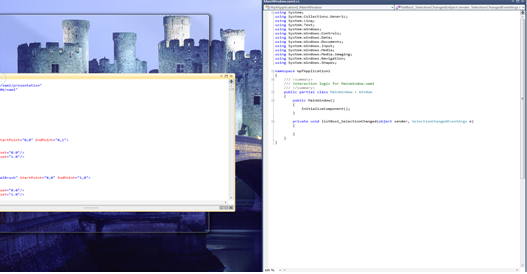
Below are the keyboard shortcuts for interacting with floating VS windows.
|
Command |
Shortcut
|
Notes |
|
Maximize |
Windows + Up Arrow |
|
|
Restore |
Windows + Down Arrow |
|
|
Minimize – from windowed state. |
Windows + Down Arrow |
This command only works on the main Visual Studio IDE. |
|
Dock to Screen Left |
Windows + Left Arrow |
(This command can also be used to cycle through the various docked states across multiple monitors) |
|
Dock to Screen Right |
Windows + Right Arrow |
(This command can also be used to cycle through the various docked states across multiple monitors) |
|
Expand Height |
Windows + Shift + Up Arrow |
|
|
Move Window to 2nd Monitor on left of primary display |
Windows + Shift + Left Arrow
|
|
|
Move Window to 2nd Monitor on right of primary display |
Windows + Shift + Right Arrow
|
|
What about the Aero Shake, can I use this to hide floating VS windows?
Unfortunately, no. Since all floating windows are “owned” by Visual Studio and cannot be minimized individually, shaking a floating window will only result in minimizing other applications.
We will be following up with more posts on how to become more productive with Visual Studio by taking advantage of shortcuts and less well known Visual Studio features.
Adrian Collier
Program Manager, Visual Studio Shell Team
 Light
Light Dark
Dark
0 comments