
Color Printing Extension Now Available!

We are pleased to announce the availability of Color Printing as a free extension for Visual Studio 2010! By default, VS 2010 prints only in black and white; this extension restores support for printing code in color.
Installation and Setup
Installing Color Printing requires Visual Studio 2010 Pro, Premium, or Ultimate (the Express editions do not support extensions). You should be able to simply download and install this extension from the VS Gallery or via the Tools menu->Extension Manager.
Using the Color Printing Extension
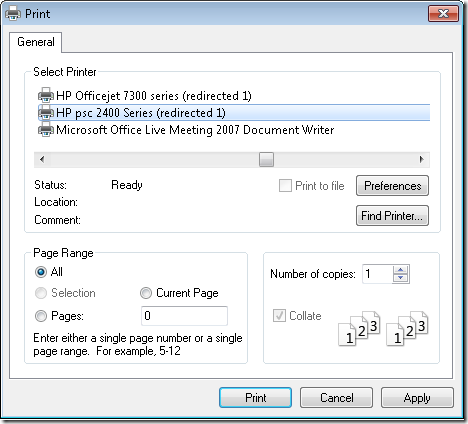
Once you’ve installed the Color Printing extension, you should be able to print as you typically would – simply use File->Print or press Ctrl+P. No extra steps are required. You might notice that the print dialog looks slightly different, but it should be very similar to print dialogs you would see in Visual Studio or other applications:
Known Issues
Although we believe this extension restores most of the color printing functionality available in VS 2008 and earlier, there are a few known issues with this version:
- There is no option to hide collapsed regions. In this version of the color printing extension, collapsed regions are always printed as though they were expanded.
- There is no explicit option in the print dialog to print line numbers. In this version, line numbers will be printed if and only if the line number margin is turned on via Tools->Options.
- The margins for the printed page (top/bottom/left/right margins) are not currently customizable.
- Printing in high contrast black modes may require users to manually update the background color for Plain Text in Tools->Options->Environment->Fonts and Colors->Printer. This is because the VS color settings for printers will use the black background color from the high contrast theme.
Feedback
We’re always interested in your feedback on Visual Studio and extensions published by Microsoft. In fact, this extension was created largely in response to your feedback that omitting color printing from VS 2010 was causing significant pain on a daily basis; we hope we’ve addressed that pain with this extension. If you have questions or comments about color printing, feel free to post them in the blog comments here. If you find a specific bug in the Color Printing extension, please file a Connect bug report so we can investigate in more detail.
Enjoy!
Brittany Behrens
Program Manager, Visual Studio Editor
 Light
Light Dark
Dark
0 comments