Welcome to MSDN Blogs Sign in | Join | Help

News

  • Chris Jackson is an Architect and the Technical Lead for the Windows Application Experience SWAT Team.

    This is provided "AS IS" with no warranties, and confers no rights. Use of materials found on this page is subject to the terms specified in the Terms of Use

Deciphering the Command Line Configuration of the Windows 7 Problem Steps Recorder

One of the features of Windows 7 that consistently gets rave reviews from the IT Pros I demonstrate it to is the Problem Steps Recorder. But as I look at it, you have a rather strange set of requirements, involving walking users through how to start the thing, where to save it to, and how to send what it collects back to you.

What if you could automate some of that?

It was at this point that I noticed a tool that already did that – the Send Feedback link on my desktop. It lets you fire up the Problem Step Recorder when filing a new issue! So, I naturally got curious – what is it doing?

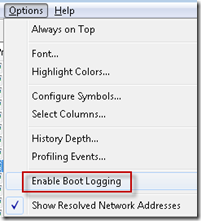
“When in doubt, use Process Monitor.”

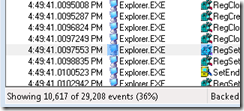
And it turns out you only have to look at the very first entry (the one for process creation) – psr.exe accepts command line arguments! Here’s what our bug reporting tool uses:

"C:\Windows\system32\psr.exe" /output "C:\Users\cjacks\AppData\Local\Temp\WER130B.tmp.ft\IssueSteps.zip" /maxsc 25 /exitonsave 1

So, it looks like I can fire up the tool from my own app, system32 is in the path so I don’t need to hard code, and I can store my zip file someplace my launching tool can find, and grab it later on.

I can think of all kinds of uses for this…

Posted: Wednesday, February 25, 2009 2:15 PM by Chris Jackson
Filed under:

Comments

Chris Jackson's Semantic Consonance said:

Since I was discussing the Windows 7 Problem Steps Recorder yesterday , it makes sense to address the

# February 26, 2009 6:23 PM

WER Services said:

Technorati Tags: PSR , WER , WER Services , Problem Steps Recorder , Repro Steps There is a bunch of

# March 30, 2009 7:23 PM

ABC said:

Hi,

Problem step record really reduces the efforts in finding the compatible issues.

But I dont know whether this will provide the solutions to fix it or not?

Any help on this........

# April 14, 2009 4:51 AM

Chris Jackson said:

The Problem Step Recorder isn't a diagnostic tool, it's just a tool to capture screenshots of the actions required to reproduce a bug.

# April 14, 2009 12:00 PM
New Comments to this post are disabled
Page view tracker