

Microsoft named a Leader in The Forrester Wave™: Customer Relationship Management, Q1 2025
Today, we’re delighted to announce that Microsoft has been named a Leader in The Forrester Wave™: Customer Relationship Management, Q1 2025.

We’re announcing a new program—Microsoft AI Accelerator for Sales—to help more customers rapidly transform their sales organization with Microsoft 365 Copilot and agents, as well as two new agents—Sales Agent and Sales Chat—to help scale the team’s ability to nurture and close deals.
Today, we’re delighted to announce that Microsoft has been named a Leader in The Forrester Wave™: Customer Relationship Management, Q1 2025.

This week, thousands of manufacturers will gather at Hannover Messe 2025 for insights into the changing manufacturing landscape. Top of mind for many attendees is how AI will impact the manufacturing industry.

We’ve published the 2025 release wave 1 plans for Microsoft Dynamics 365, Microsoft Power Platform, and role-based Copilot offerings. These plans are a compilation of the new capabilities planned to be released between April 2025 and September 2025.

This year at NRF, we will showcase the latest AI and agent innovations in Dynamics 365 AI-powered ERP and Service solution.

We’re proud to announce that Microsoft has been named a Leader in the 2024 Gartner Magic Quadrant for CRM Customer Engagement Center.

Real-time insights are crucial, but they’re not always easy to come by. That’s where AI-driven predictive analytics can help.

Microsoft is leader in both Gartner’s Magic Quadrants for Cloud ERP for Service-Centric and Product-Centric Enterprises.

Microsoft has been recognized as a Leader in the 2024 Magic Quadrant for Sales Force Automation for the fourteenth consecutive year.

Microsoft has been recognized as a Leader in the 2024 Gartner Magic Quadrant™ for B2B Marketing Automation Platforms.

Enterprise resource planning (ERP) platforms were designed to help integrate the fragmented processes that comprise the operation of a large enterprise. But the way we do business keeps fundamentally changing.
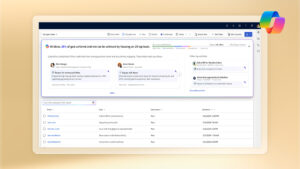
Introducing 10 new autonomous agents in Microsoft Dynamics 365 to build capacity for every sales, service, finance, and supply chain team.

Register today for this virtual event on Tuesday, October 29, 2024, where we will showcase highlights from release wave 2.
Notifications
