

Accelerating sales with unified data in the AI era
AI-powered customer profiling enables a shift from reactive decision making by sales teams to proactive customer engagement.

We’ve published the 2025 release wave 1 plans for Microsoft Dynamics 365, Microsoft Power Platform, and role-based Copilot offerings. These plans are a compilation of the new capabilities planned to be released between April 2025 and September 2025.
AI-powered customer profiling enables a shift from reactive decision making by sales teams to proactive customer engagement.

Microsoft is leader in both Gartner’s Magic Quadrants for Cloud ERP for Service-Centric and Product-Centric Enterprises.

Microsoft has been recognized as a Leader in the 2024 Magic Quadrant for Sales Force Automation for the fourteenth consecutive year.

Microsoft has been recognized as a Leader in the 2024 Gartner Magic Quadrant™ for B2B Marketing Automation Platforms.

Enterprise resource planning (ERP) platforms were designed to help integrate the fragmented processes that comprise the operation of a large enterprise. But the way we do business keeps fundamentally changing.
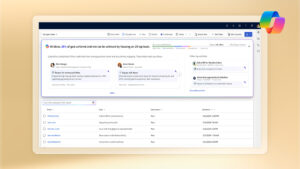
Introducing 10 new autonomous agents in Microsoft Dynamics 365 to build capacity for every sales, service, finance, and supply chain team.

Register today for this virtual event on Tuesday, October 29, 2024, where we will showcase highlights from release wave 2.

Microsoft Dynamics 365 Field Service customers can use Connected Field Service to seamlessly connect their IoT devices to diagnose problems.

Successful sales is and always will be about human interactions, and the building of familiarity, comfort, and trust. But getting to those moments—all the searching and compiling and preparation—can take a lot of drudgery. Ensuring that an entire team of sellers has the time and capacity to strengthen those human relationships can be an enormous feat.

Our customer service teams are using AI solutions like Microsoft Copilot to ensure our customer service employees are empowered to focus on the most meaningful parts of their jobs.

Enterprise resource planning (ERP) platforms were designed to help integrate the fragmented processes that comprise the operation of a large enterprise. But the way we do business keeps fundamentally changing. New business models disrupt the way companies sell products and services, blurring industry lines and transforming customer experiences.

In this blog post, we’re going to focus on the third item: elevating customer and employee experiences by showing how AI-enabled CRM platforms help increase productivity and provide unprecedented levels of personalized service across three key business functions: marketing, sales, and customer service.
Notifications
