Welcome to MSDN Blogs Sign in | Join | Help

Why is my USB device not detected or comes up as "Unknown Device"?

Hi, this is Martin Borve from the USB team. In the previous blog, I gave a detailed description on how the device gets enumerated by the core USB stack and reported to the OS. In this post, I'm going to summarize which incorrect hardware behaviors during enumeration causes the core stack to abandon the device and which ones lead to reporting the device as "Unknown Device". 

Device is not enumerated

There are several reasons why a USB device may not enumerate at all when it is attached to a USB port.  Assuming the connect change was detected by the USB hub driver, the following events will cause the device to not be enumerated at all:

  • The USB device failed to stabilize during the debounce period.
  • An overcurrent event occurred during enumeration.
  • A port disconnect event occurred during enumeration.
  • The port is reported as suspended after a successful port reset.

“Unknown Device” in Device Manager due to Enumeration failure

In most cases when enumeration fails the hub driver will still report the arrival of a device to Windows.  In these cases the USB device will appear as “Unknown Device” in Device Manager, and will have a Device ID of “USB\VID_0000&PID_0000” and a Hardware ID and Compatible ID of “USB\UNKNOWN”.   The following events will cause the USB hub driver to enumerate a USB device as an “Unknown Device”:

  • A port reset request timed out during enumeration.
  • The Set Address request for the USB device failed.
  • The request for the USB device’s Device Descriptor request failed.
  • The USB Device Descriptor was malformed and failed validation.
  • The request for the Configuration Descriptor failed.
  • The USB Configuration Descriptor was malformed and failed validation.

On Windows 7, devices that failed enumeration will be marked with failure Code 43 in the device manager. 

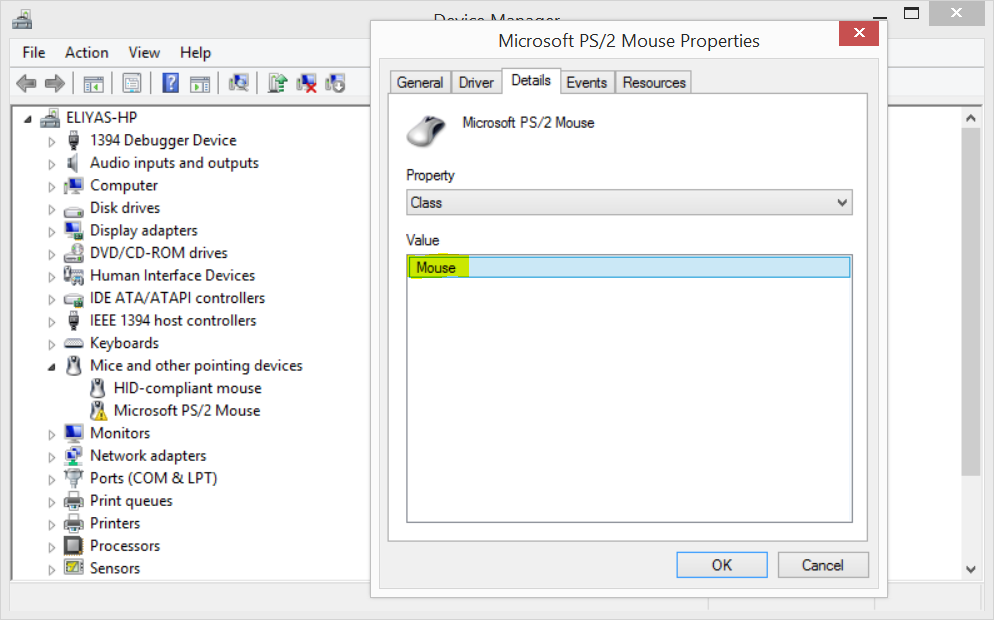
On downlevel OS, namely Vista, the device manager may not have a failure code. So the way to detect enumeration failure is to look at the Hardware ID in the detail property page (right click on the device and select Properties and then look click on Details tab) of the device in the device manager. If the ID is USB\VID_0000&PID_0000 then the failure is during enumeration.

“Unknown Device” in Device Manager due to Unavailable driver

There is a second reason why a device would come up as "Unknown Device" in the device manager even if the enumeration was successful. This happens when the device doesn't provide a Product ID string during enumeration and the system is not able to find a matching INF for the device to install a driver. In this case, the device will be marked with failure Code 28 in the device manager.

You may be able to get the driver downloaded and installed from the Windows Update site by right clicking on the device in the device manager and selecting "Update Driver Software" option and then selecting "Search automatically for updated driver software."

Published Tuesday, November 03, 2009 9:00 AM by USB Blog
Filed under:

Comment Notification

If you would like to receive an email when updates are made to this post, please register here

Subscribe to this post's comments using RSS

Comments

# re: Why is my USB device not detected or comes up as "Unknown Device"?

Sunday, November 08, 2009 9:17 PM by ymhuang

Good article!  

May I ask does there've any software debug method inside USB core stack to figure out what one is?

A software method always convenient than hardware method. :-)

# re: Why is my USB device not detected or comes up as "Unknown Device"?

Monday, November 16, 2009 8:41 PM by mara

I have windows 7 and recently tried to connect my Motorola phone via USB to my laptop and ran into this enumeration failure Code 43. So how can I fix it? I tried unistalling the USB unknown device from the manager, no luck. I tried downloading Motorola's driver installer, no luck.

# re: Why is my USB device not detected or comes up as "Unknown Device"?

Thursday, November 19, 2009 2:49 AM by mohd

pliz tell me how to fix this issue

# re: Why is my USB device not detected or comes up as "Unknown Device"?

Saturday, November 21, 2009 9:30 AM by Ramaswamy

Dear Mr.Borve,

I have a peculiar problem in that

HP Scanjet 3300C is detected and

shown as USB device in the task bar.

The device manager identifies it and

under properties shows that the

driver is HP driver.  But when the

scanner programme (Scanjet LT) is

run it reports "Scanner not found"

Why is that?

Regards..

Leave a Comment

(required) 
required 
(required) 

  
Enter Code Here: Required
 
Page view tracker